Best Attendance Automation System: What It Is and Why Accurate Attendance Matters
It is the last working day of the month, and payroll is due. An HR executive is sitting with a stack of timesheets, a spreadsheet of clock-in times and an inbox full of leave requests.
Two employees say their hours are wrong. One manager forgot to approve a timesheet. Everything needs checking by hand before anyone can be paid.
This is the problem attendance automation was built to solve, and it is why Best Attendance Automation System is a category at the HR Vendor of the Year 2026 Awards.
PeopleCentral was shortlisted as a finalist in this category. This article explains what attendance automation is, why it matters and how to choose a system that works.
What Is Attendance Automation?
Attendance automation is the use of software to record, calculate and report when employees work, take leave or are absent, without relying on manual entry. Records are captured as they happen and flow directly into payroll and reports.
Attendance covers more than clocking in and out. It includes working hours, overtime, shifts, late arrivals, leave, public holidays and absences. An attendance automation system tracks all of these in one place and applies the company’s rules automatically.
You may also hear the terms time and attendance system or timesheet software. They describe closely related tools. What matters is whether the system captures accurate data and connects it to the rest of your HR processes.
Why Accurate Attendance Matters
Attendance matters because attendance data feeds directly into payroll. Manual tracking leads to errors, disputes and time spent on corrections, while automation improves accuracy and supports compliance.
Payroll depends on it
Salaries, overtime and deductions are often calculated from attendance records. If the records are wrong, the pay is wrong. Even small errors damage trust when they happen repeatedly.
Employees expect fairness
People want to be paid for the time they work and to see leave balances they can rely on. A clear, consistent system removes guesswork and reduces arguments.
Compliance needs records
Employment rules in many countries cover working hours, rest periods, overtime limits and leave entitlements. Accurate records make it easier to follow those rules and to answer questions if they come up later.
Managers need visibility
Knowing who is working, who is on leave and where gaps will appear helps managers plan work and avoid last-minute surprises.
HR time is limited
Chasing timesheets and correcting entries takes hours that could go towards hiring, development and employee support.
Here is how attendance management changes once it is automated.
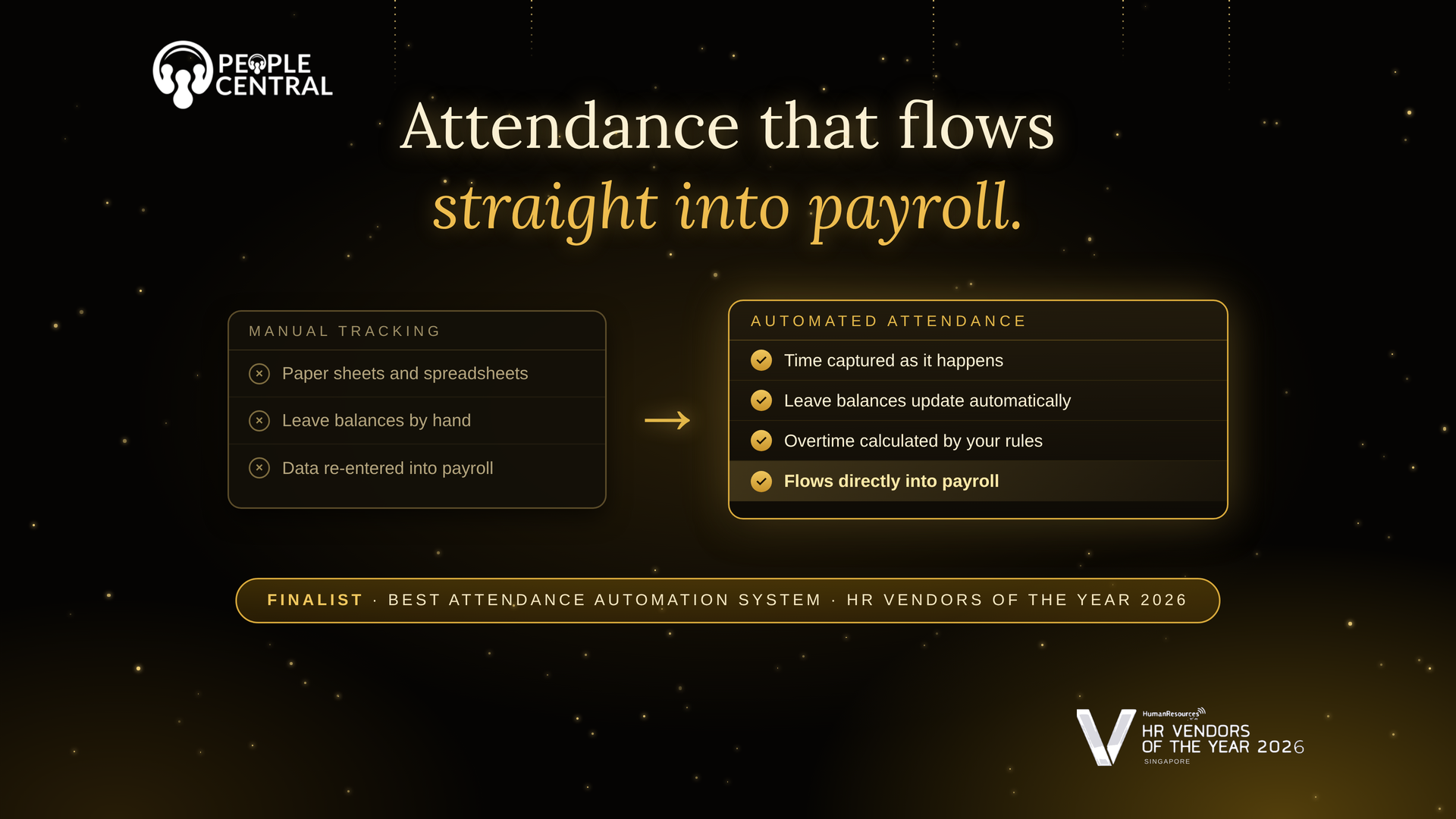
| Area | Manual Tracking | Automated System |
| Recording time | Paper sheets or spreadsheets | Captured digitally as it happens |
| Leave balances | Calculated by hand | Updated automatically |
| Overtime | Worked out at month end | Calculated by set rules |
| Approvals | Chased by email | Routed to managers online |
| Payroll link | Data re-entered into payroll | Flows directly into payroll |
| Reporting | Built from several files | Available on demand |
The Hidden Cost of Manual Tracking
Manual attendance tracking looks cheap because it needs no software. In practice, the costs add up in ways that are easy to miss.
There is the time spent collecting, checking and correcting records. There is the cost of payroll mistakes, which often need to be fixed in the following month.
There is the effort of settling disputes when an employee and a manager remember a day differently. And there is the risk of incomplete records if a question about hours or leave arises later.
None of these costs appears on a single invoice, but together they take up a large share of an HR team’s week. Automation reduces them by capturing the information once, correctly, at the source.
What to Look For in an Attendance Automation System
Connection to payroll
This is the most important feature. When attendance flows directly into payroll, hours and leave do not have to be re-entered, and the chance of error drops.
Leave and timesheet integration
Attendance, leave and timesheets should sit together. An approved leave day should automatically show in attendance records, not need a separate update.
Flexible rules
Businesses differ in how they define shifts, overtime and holidays. The system should let you set rules that match your policies.
Easy for employees
Clocking in, submitting a timesheet and checking leave balances should take moments, whether on a computer or a phone.
Simple approvals for managers
Managers should be able to review and approve in a few clicks, with reminders for anything outstanding.
Clear reports
Look for reports on hours, absences, overtime and leave that can be pulled without building them by hand.
Common Mistakes to Avoid
Choosing a stand-alone tool is a frequent mistake. If attendance sits in a separate system from payroll, someone still has to move the data across, which brings back the errors you hoped to remove.
Another mistake is leaving policies unclear. Software applies the rules you give it, so decide how overtime, lateness and leave will work before you set it up.
A third mistake is skipping employee guidance. Explain how the system works and why accurate records matter, so people use it correctly from the start.
Finally, some businesses never review the data. Regular reports can show patterns such as frequent overtime in one team, which may point to staffing issues worth addressing.
About This Award Category
Best Attendance Automation System recognises systems that make attendance accurate, simple and connected to the rest of the workforce process.
People Central was shortlisted as a finalist in this category at the HR Vendor of the Year 2026 Awards. In People Central, attendance, timesheets and leave sit in the same platform as payroll, so records flow through without re-entry. Reaching the final stage reflects how much weight businesses now place on accurate, connected attendance data.
Frequently Asked Questions
What does attendance automation mean?
It means using software to record and calculate working time, leave and absences automatically, instead of tracking them by hand.
Is attendance software the same as a timesheet tool?
They are closely related. Timesheet tools record hours worked, while attendance systems usually cover leave, absences and shifts as well.
Why should attendance connect to payroll?
Because payroll is calculated from attendance data. A direct link avoids re-entering information and reduces mistakes.
Can small businesses benefit from attendance automation?
Yes. Small teams often have the least time for manual checking, so automation can free up a lot of effort.
Does automation remove the need for managers?
No. Managers still review and approve. The system simply handles the calculation and record keeping.
Conclusion
Attendance may look like a small administrative detail, but it sits at the centre of payroll, compliance and fairness. A good system captures time accurately, applies your rules consistently and passes clean data to payroll.
To see how People Central brings attendance, timesheets, leave and payroll together, visit peoplecentral.co.
Automate your CPF submissions with PeopleCentral
PeopleCentral HRMS applies regulatory updates automatically. Payroll is always compliant, without any manual reconfiguration.
Related articles
Best HR Management System (SMB): What It Is and Why Small Businesses Need One

PeopleCentral vs Payboy: Which HR Software Is the Better Fit for Your Business in 2026?