Best HR Management System (SMB): What It Is and Why Small Businesses Need One
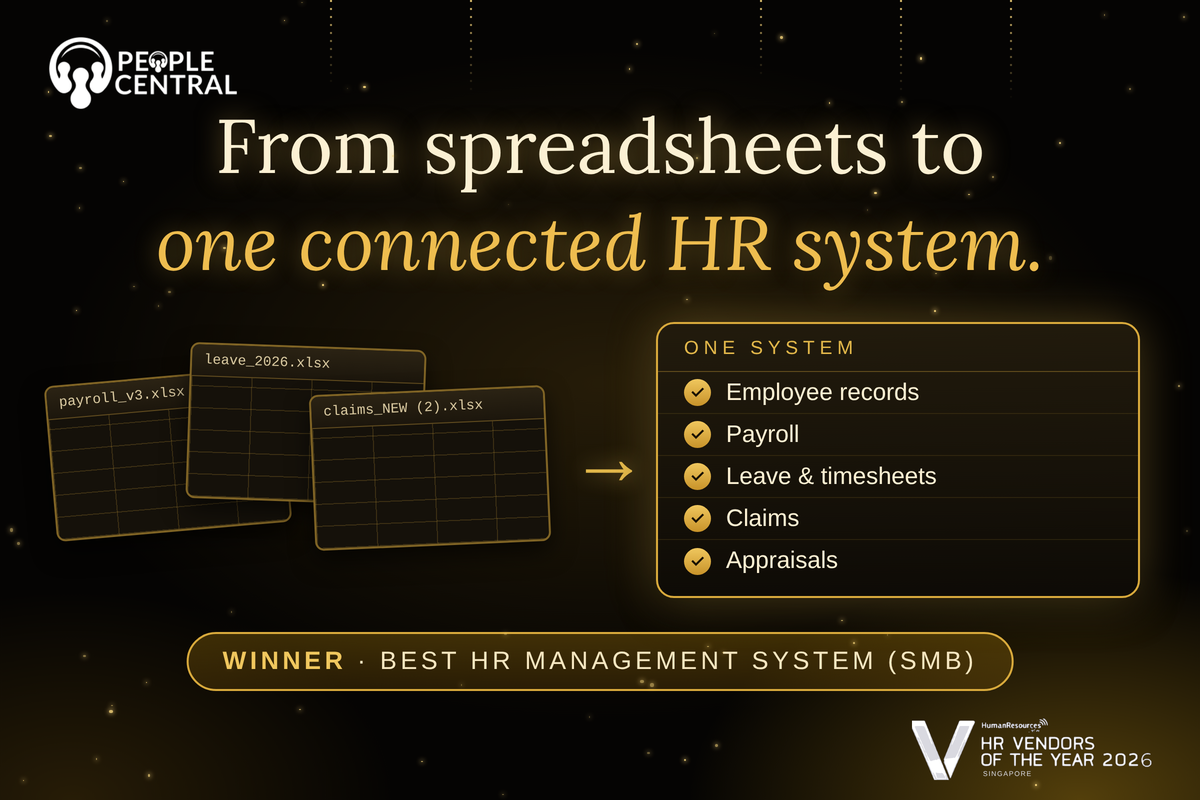
It usually starts with a spreadsheet. A business hires its first few employees, and a simple file is enough to track names, salaries and leave days.
Then the team grows to twenty, then fifty. Suddenly the spreadsheet has five versions, payroll takes two days every month, and nobody is quite sure how much leave an employee has left.
This is the point where many small and medium-sized businesses, often called SMBs, start looking for an HR management system.
It is also why Best HR Management System for SMBs is such a closely watched category at the HR Vendor of the Year 2026 Awards.
This article explains what an HR management system is, why it matters, which features count most and how to choose one that suits a growing business.
What Is an HR Management System?
An HR management system is software that stores employee information and automates everyday HR tasks such as payroll, leave, attendance, claims and performance reviews. It replaces scattered spreadsheets, emails and paper forms with one connected platform.
You may also see the terms HRMS and HRIS. HRIS stands for human resource information system and usually refers to core record keeping.
HRMS stands for human resource management system and usually adds payroll, time tracking and performance tools. Vendors use the two terms loosely, so what matters is what the software actually does.
At its simplest, the system acts as a single source of truth about your people. When an employee changes bank accounts, receives a promotion or applies for leave, the update happens once and reaches every part of the system that needs it.
Why HR Management Systems Matter for Small and Medium-Sized Businesses
Small and medium-sized businesses rarely have large HR teams. An HR management system lets a small team handle more work with fewer errors, stay compliant and give employees a better experience as the company grows.
It saves time
Administrative work eats into the day of anyone who handles HR. Calculating leave balances, chasing timesheets, collecting claim forms and updating records are all repetitive tasks. Automating them gives time back for hiring, development and employee support.
It reduces errors
Every time a person retypes information from one file into another, there is a chance of a mistake. A wrong bank number or a missed leave day can lead to payroll disputes and frustrated employees. A connected system removes most of that retyping.
It supports compliance
Employment rules cover pay, contributions, leave entitlements and record keeping, and they vary by country. A good system helps businesses apply those rules consistently and keep clear records if questions arise later.
It improves the employee experience
Employees want to apply for leave, submit claims and check payslips without waiting for an email reply. Self-service tools make this possible and reduce the number of routine questions that reach HR.
It grows with the business
A process that works for ten people often breaks at fifty. A system built around workflows, rather than individual effort, continues to work as headcount rises.
Here is how daily HR tasks change once a system is in place.
| HR Task | Without a System | With a System |
| Employee records | Spread across files and folders | Stored in one secure place |
| Leave requests | Email threads and manual tracking | Applied and approved online |
| Payroll | Re-entering hours and leave by hand | Pulls data directly from records |
| Expense claims | Paper forms and chasing receipts | Submitted and approved digitally |
| Performance reviews | Scattered documents and reminders | Structured appraisals in one workflow |
Core Features to Look For
A good HR management system for a growing business should cover the essentials well before it tries to do everything.
Employee records
This is the foundation. Look for a secure database holding personal details, contracts, job history and documents, with clear control over who can see what.
Payroll
Payroll should connect directly to records, leave and attendance so that salaries, deductions and contributions are calculated from reliable data.
Leave and timesheets
Employees should be able to request leave and log time themselves, and managers should be able to approve with a few clicks.
Claims
Expense claims should sit inside the same platform, so approved claims move into payroll without extra steps.
Appraisals
Performance reviews work best when goals, feedback and ratings are recorded in a structured way, instead of being rebuilt from memory once a year.
Workflow automation
Approvals, reminders and notifications should run automatically. This is what turns software from a filing cabinet into a time saver.
Reporting and security
Managers need clear reports on headcount, leave and costs. Because HR data is sensitive, strong security and access controls are essential.
How to Choose the Right System
The best HR management system is the one your team will actually use. Start with the problems that cost you the most time today, then check how well each option solves them.
First, list your pain points. If payroll is the biggest headache, test that area first. If leave tracking causes disputes, focus there.
Second, think about ease of use. A system that needs weeks of training will struggle in a small business. Employees and managers should be able to find what they need quickly.
Third, ask about support. Questions will come up during setup and payroll runs, so find out how quickly and how helpfully the provider responds.
Fourth, consider growth. Check whether the system can handle more employees, new locations and extra modules later without a painful move to something new.
Common Mistakes Businesses Make
Buying for features you will never use is the most common mistake. A long feature list looks impressive, but complexity slows adoption. Choose for your real needs.
Another mistake is ignoring data quality. A new system is only as accurate as the information entered into it. Clean up records before migrating them.
A third mistake is leaving employees out of the rollout. Explain what is changing and show people how to use self-service tools. Adoption is what delivers the benefits.
Finally, some businesses treat the system as set and forget. Review how it is used every few months and adjust workflows as the company changes.
About This Award Category
Best HR Management System for SMBs recognises software designed around the needs of smaller organisations. These businesses need strong core HR functions, simple setup and sensible value, not heavy enterprise tools.
People Central won this award at the HR Vendor of the Year 2026 Awards. Its platform brings employee records, payroll, leave management, timesheets, claims, appraisals and workflow automation into one system, along with AI-enabled features for expense processing and employee HR support.
For a small team, that means essential HR processes can be managed in one place instead of across several disconnected tools.
Frequently Asked Questions
What does an HR management system do?
It stores employee information and automates tasks such as payroll, leave, attendance, claims and appraisals in one platform.
What is the difference between HRMS and HRIS?
HRIS usually covers core employee records, while HRMS typically adds payroll, time tracking and performance management. Many vendors use the terms interchangeably.
When should a small business get an HR management system?
When spreadsheets and manual processes start causing errors, delays or confusion, usually as the team moves beyond a handful of people.
Is an HR management system only for large companies?
No. Many systems are built specifically for small and medium-sized businesses and are simpler to set up and use.
Does an HR system help with compliance?
It can help by keeping accurate records and applying consistent rules, although businesses should still stay informed about local employment requirements.
Conclusion
An HR management system turns a pile of spreadsheets and email threads into a clear, connected process.
For small and medium-sized businesses, that means less time on admin, fewer mistakes and a better experience for employees as the team grows.
If you are ready to simplify HR in your business, explore what PeopleCentral offers and see how one platform can bring your essential HR processes together.
Automate your CPF submissions with PeopleCentral
PeopleCentral HRMS applies regulatory updates automatically. Payroll is always compliant, without any manual reconfiguration.
Related articles

PeopleCentral vs Payboy: Which HR Software Is the Better Fit for Your Business in 2026?
PeopleCentral vs QuickHR (2026): Which HR Software Is Right for Singapore SMEs?